![Rivet Lobo.png]](https://support.rivet.work/hs-fs/hubfs/Rivet%20Lobo.png?height=40&name=Rivet%20Lobo.png)
Contents
Creating Absence Types
Editing Absence Types
Reordering Absence Types
Examples of Absence Types
Creating Absence Types
- Clicking on the settings gear icon in the upper right will take you to Manage Organization.
- Navigate to
Absenceson the left side of the screen. - To create a new absence, select
Addfrom above the search bar. - Enter the name of the absence, add a description if you like and then select the absence type.
- Click
Save.
Editing Absence Types
- Clicking on the settings gear icon in the upper right will take you to Manage Organization.
- Navigate to
Absenceson the left side of the screen. - Click on the
 icon to edit the image.
 - Delete the existing name of the Absence and enter the name of the new Absence.
- Click
Saveto save the new name.
Reordering Absence Types
- Clicking on the settings gear icon in the upper right will take you to Manage Organization.
- Navigate to
Absenceson the left side of the screen. - Navigate to the Absence you would like to reorder.
- Click on the
 and move the Absence to the desired location.
 - Release the mouse button to drop the Absence in the new location.
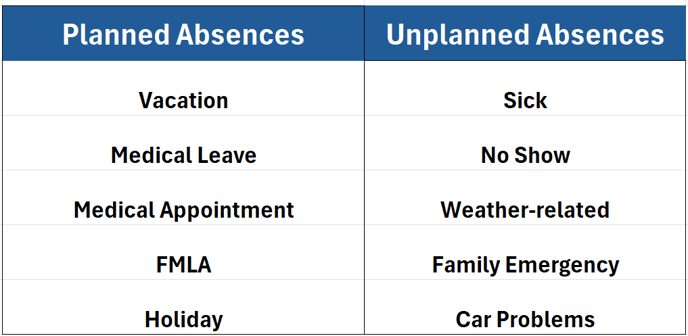
Examples of Absence Types